Published-release documentation · release compatibility
Program Composition
Combine already-authored chart programs without merging their datasets, marks,
scales, or guides. The result is another immutable ChartProgram whose parent
Canvas contains concrete snapshots of its named children.
Arrange complete programs
Contextual fragment. Use an ES module with the imports, data, and prepared resource state described in this section. Resolve these names from setup in this fragment or section; alternatives branch from the same base.
import { hconcat, vconcat } from "ggaction";

const row = hconcat({
  id: "overview",
  programs: [
    { id: "main", program: scatterplot },
    { id: "detail", program: barChart }
  ],
  gap: 20,
  align: "center",
  padding: 16
});

const dashboard = vconcat({
  programs: [row, trendChart],
  gap: 18
});
This is a composition fragment: scatterplot, barChart, and trendChart
must each be a complete program with one materialized Canvas. See the
runnable repository example
for complete child construction and Browser Canvas rendering.
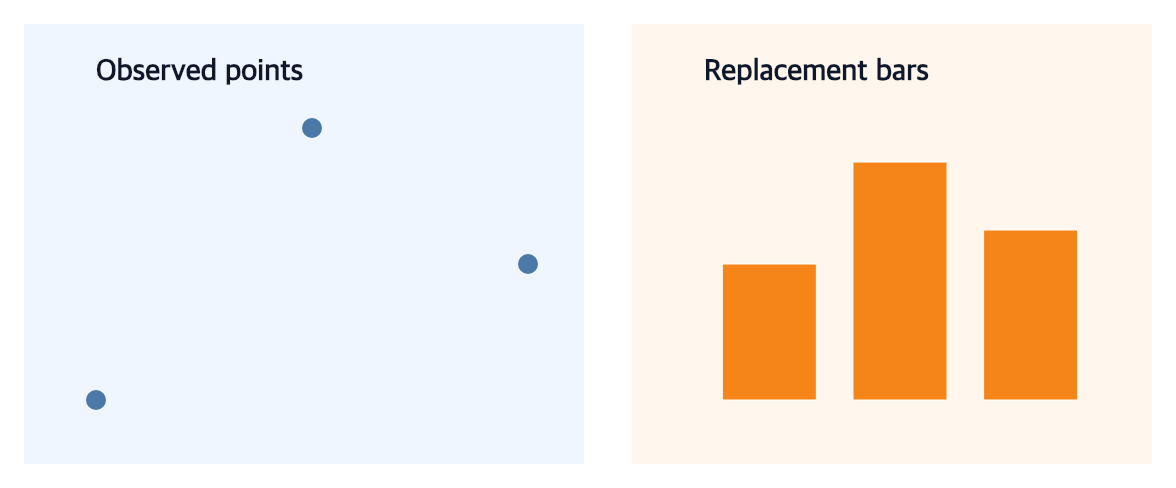
The representative output deliberately keeps two different final grammars:
the main slot contains a titled point chart on a blue panel, while the
detail slot contains the titled orange bar chart installed by
replaceCompositionChild. Distinct child backgrounds and the visible parent
gap make the retained slot, replacement slot, and parent layout observable in
the full image and its gallery thumbnail.
Both functions initially require at least two programs. A direct ChartProgram receives
the deterministic slot name view-1, view-2, and so on. Use
{ id, program } when later code must replace a stable slot.
| Option | Default | Effect |
|---|---|---|
id |
"composition" |
Names the composition for deterministic graphic namespaces |
programs |
required | Ordered complete child programs or { id?, program } entries |
gap |
16 |
Non-negative distance between adjacent children |
align |
"center" |
"start", "center", or "end" cross-axis placement |
padding |
0 on every side |
Non-negative scalar or partial four-side object |
Automatic and explicit child sizes
The parent Canvas size is inferred from child dimensions, gap, and padding.
For hconcat, children whose height was omitted in createCanvas expand to the
largest child height. For vconcat, children whose width was omitted expand to
the largest child width. A unit child rematerializes against that resolved size.
A nested composition keeps its intrinsic child layout and align places its
complete snapshot inside the larger cross-axis slot; the outer composition does
not stretch inner facet cells, gaps, or guide geometry. An explicitly authored
child width or height is never overwritten.
The parent background is white. Child Canvas backgrounds are preserved, and nested compositions keep independent clipping and coordinate scopes.
Compose Cartesian, Polar, and Parallel charts
A complete Cartesian, Polar, or Parallel chart can be a direct or nested concat child. The composition does not reinterpret theta, radius, x, y, scales, guides, or selections. It snapshots each finished child into one namespaced concrete graphic tree, so Canvas, SVG, PNG, and PDF renderers use the same result.
When a nested child changes, replace it in each ancestor explicitly:
Contextual fragment. Use an ES module with the imports, data, and prepared resource state described in this section. Caller-provided receivers:
polarRow,dashboard. Resource selectors used here:target: "detail";target: "polarRow". Resolve these names from setup in this fragment or section; alternatives branch from the same base.
const revisedPolarRow = polarRow.replaceCompositionChild({
  target: "detail",
  program: revisedPolarChart
});

const revisedDashboard = dashboard.replaceCompositionChild({
  target: "polarRow",
  program: revisedPolarRow
});
This preserves immutable earlier programs and makes the affected ancestor layout visible in the action trace. See the cross-feature dashboard source for a nested Polar replacement next to a Cartesian facet.
Repeat the current chart by a field
See Facets and Field Repetition for this contract and its examples.
Build a row and column facet grid
See Facets and Field Repetition for this contract and its examples.
Repeat a positional encoding across fields
See Facets and Field Repetition for this contract and its examples.
Edit the layout
See Editing Compositions for this contract and its examples.
Edit facet scale and guide policies
See Editing Compositions for this contract and its examples.
Replace the repeated source recipe
See Editing Compositions for this contract and its examples.
Replace one stable slot
See Editing Compositions for this contract and its examples.
Insert, remove, and reorder named concat children
See Editing Compositions for this contract and its examples.
State, trace, and action scope
children maps stable slot IDs to retained immutable programs.
compositionSpec stores concat direction or facet intent together with order,
gap, alignment, and padding. Grid state additionally records both ordered
domains, cell coordinates, scalar pairs, and blank status; repeat state records
the target, channel, and ordered fields. The
parent graphicSpec stores the fully materialized, namespaced child Canvas
tree; renderers read only that concrete state.
hconcat, vconcat, facet, facetGrid, and repeatCharts trace retained
child use and concrete materialization. Named structural edits rematerialize
from retained concat children. Layout edits and replacement rematerialize from
the retained child programs. Facet source, scale, and guide edits rederive stable-ID children
from the parent-retained unit state before replacing the parent snapshot.
Ordinary data, mark, encoding, scale, and guide
actions apply only to unit programs and reject a composition parent. Facet
titles, facet-header edits and existing shared-legend editors/removal are explicit parent-owned exceptions. Edit a
child first, then replace its slot when a concat dashboard needs a changed
chart.
Documentation provenance
293 actions · sha256:e755591a2e5f5e2b494867583876e28020a478c5220b77bdc6ad469a6224891d