Published-release documentation · release compatibility
Discretized Color Scales
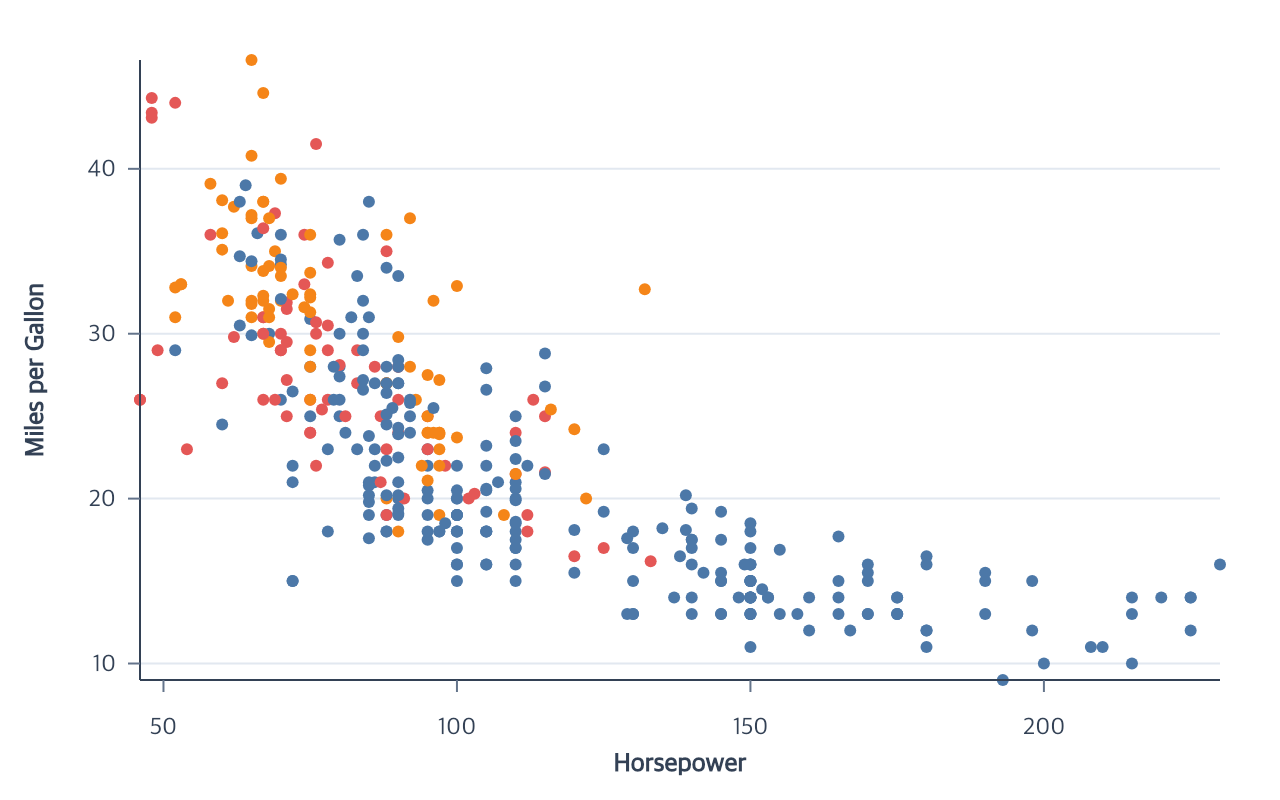
Discretized quantitative color
Quantitative Point, aggregate Bar, and Rect color can create concrete color classes instead of a continuous gradient:
quantizedivides a numeric extent into equal-width intervals.quantilederives boundaries that keep observed class counts as even as possible.thresholduses an explicit, strictly increasing boundary array. A domain withnboundaries requiresn + 1colors.
Contextual fragment. Use an ES module with the imports, data, and prepared resource state described in this section. Caller-provided receivers:
program. Resolve these names from setup in this fragment or section; alternatives branch from the same base.
program.encodeColor({
  field: "life_expect",
  fieldType: "quantitative",
  scale: {
    type: "threshold",
    domain: [60, 70, 75, 80],
    range: ["#440154", "#3b528b", "#21918c", "#5ec962", "#fde725"]
  }
});
An exact boundary belongs to the upper interval. reverse: true reverses the
resolved colors without changing boundaries. createLegend() infers an
interval legend with labels such as < 60, 60–70, and ≥ 80. These
mappings are available through quantitative encodeColor and the direct
scale vocabulary. A type-changing editScale call validates the complete
replacement definition before rematerializing its consumers.
Explicit discretized color ranges contain at most 10,000 colors.
Quantize boundaries and interval labels remain distinct across very large,
very small, and close finite values. If the numeric extent cannot represent
the requested number of equal-width classes, resolution throws a RangeError
instead of silently creating duplicate classes.
Changing color scale families
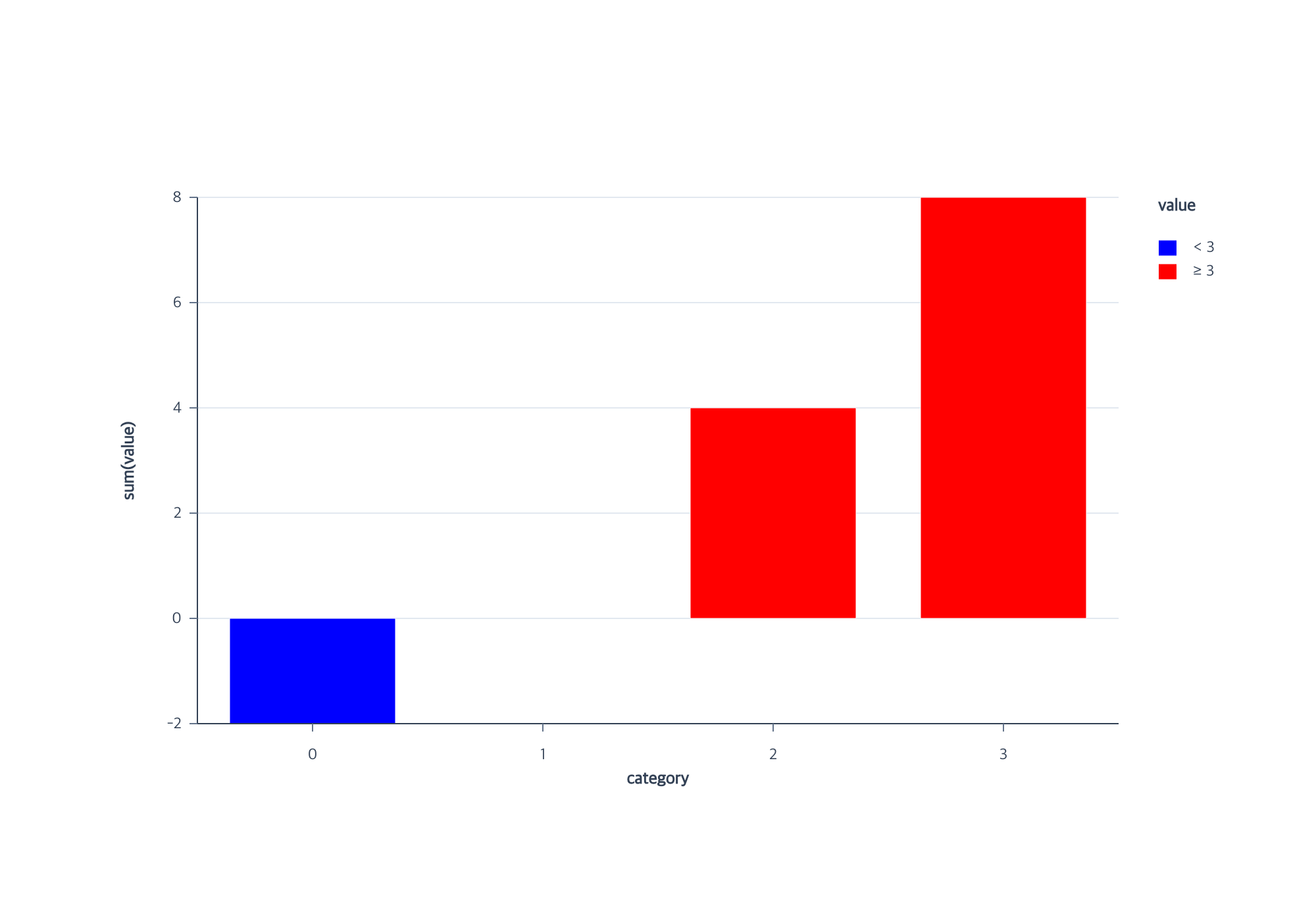
In Full, editScale and a type-changing encodeColor reassignment share one
transition policy. Both update every attached mark. A compatible gradient legend
becomes an interval legend, or the reverse, in the same immutable action.
Contextual fragment. Use an ES module with the imports, data, and prepared resource state described in this section. Resolve these names from setup in this fragment or section; alternatives branch from the same base.
import { chart } from "ggaction";
const rows = [-2, 0, 4, 8].map((value, x) => ({ x, value, category: String(x) }));
const program = chart()
  .createCanvas({ width: 1000, height: 700, margin: 150 })
  .createData({ id: "data", values: rows })
  .createBarPlot({
    id: "m", x: "category", y: { field: "value", aggregate: "sum" },
    color: { field: "value", fieldType: "quantitative", scale: {
      id: "colors", type: "sequential", domain: [-2, 8],
      range: ["blue", "white", "red"], midpoint: 0
    } }
  })
  .editScale({ id: "colors", type: "quantize", domain: [-2, 8], range: ["blue", "red"] });
This is the executable example used by the render and browser checks. The final classes split at 3; zero still has zero bar height. The obsolete midpoint is removed and is not restored automatically on a later return to sequential color.
A legend can switch families on all four edges when its family-specific
settings are defaults. Left/right use vertical placement and center alignment.
Top/bottom support left, center or right alignment with the default horizontal
interval flow. Both families require a top title for transitions. The transition preserves its target, title and visibility,
labels, title style, border, position, alignment, and offset. New family-specific settings
use that family’s defaults. A custom gradient count/size, interval symbol, or
item gap causes an error instead of being discarded. Use removeLegend, change
the scale, and call createLegend with the desired new style in that case.
A horizontal interval column count, vertical flow or inline title cannot be
carried into a gradient and causes an error. An explicit single column on a
side interval legend is equivalent to the default and remains compatible.
Explicit extents, quantile samples, and threshold boundaries have different
meanings. Supply a new domain when changing between those meanings; "auto"
can explicitly request inference where that type supports it. Sequential and
quantize share an extent, so a valid existing extent can be retained. Invalid
shared consumers or a legend that cannot fit reject the complete edit without
changing the earlier program. Aggregate bars keep their final aggregate grain;
Rect keeps observed cells; temporal color cannot become discretized color
without an explicit quantitative encoding. No nominal-to-numeric coercion occurs.
Basic can create interval legends for its quantitative color charts. Structural scale edits remain Full operations. In Basic, use a new scale ID when authoring a different scale type.
Related
Scale overview · Encodings · Troubleshooting
Documentation provenance
293 actions · sha256:e755591a2e5f5e2b494867583876e28020a478c5220b77bdc6ad469a6224891d